Developer tools
How to make a CSS gradient
You want a gradient behind a page, a card or a slide, and writing the CSS by trial and error is slow. You will pick a type, place the colours, and copy CSS that is ready to paste, or save an image. It runs in your browser.
Text over a gradient has to stay readable at both ends. Test the lightest and darkest colours with the text colour you plan to use.
Open CSS gradient generatorContents
Choose the gradient type
Linear blends in a straight line and suits most backgrounds. Radial spreads out from the centre, like a soft glow. Conic sweeps around a point, like a colour wheel or a pie chart.
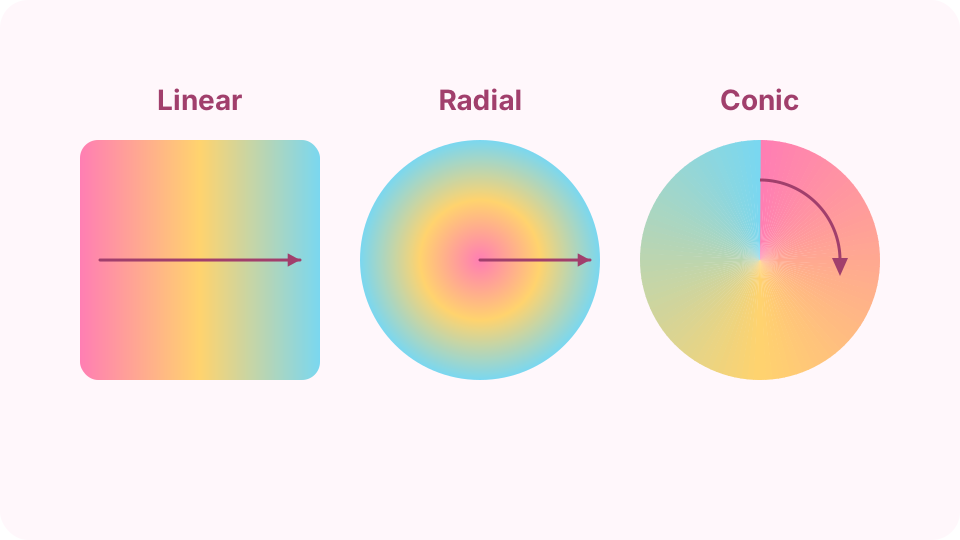
The three types differ in the path the colours follow. Open the CSS gradient generator on cv.cm
Pick the type under Gradient. Press a preset for a starting point or Random for ideas, and the preview updates straight away.
Open CSS gradient generatorSet the direction
For linear and conic, drag Angle: 0° points up, 90° points right, and 180° points down. For radial, choose Circle or Ellipse instead.
Place the colours
Each colour has a position from 0% to 100%, and you can use up to 6. Add colour inserts one, and × removes it. Close positions make a sharp edge, and far-apart positions make a soft blend.
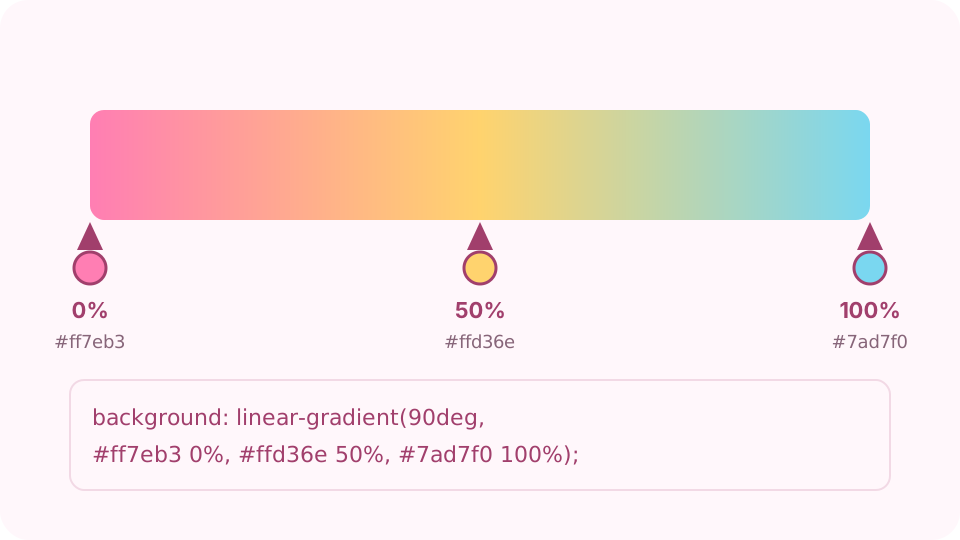
Each colour sits at a position on the line, and the CSS lists them in order. Copy the CSS
Copy CSS gives you two lines: a solid colour for very old browsers, then the gradient. Paste them into your element's CSS rule. It works on any block with a size, such as body or a card.
Or save a PNG
For slides and wallpapers, choose an Image size and press Save PNG. Sizes include 1920 × 1080, 2560 × 1440, 1080 × 1920 for phones and 1080 × 1080 for square posts.
FAQ
Why does my gradient not show on the page?
The element probably has no height. A gradient fills the element's box, so an empty block is 0 high. Give it a height or some content; for a full page, set html and body to height 100%.
Why are there two background lines in the CSS?
The first is a solid colour, and the second is the gradient. A browser that cannot draw the gradient ignores that line and keeps the colour.
Is background or background-image better?
Both work, as a gradient counts as an image. background is shorter and also resets other background settings, so use background-image if you are layering it over other backgrounds.
How do I make a hard colour stripe?
Put two colours at the same position, for example both at 50%. There is then no room to blend, so the colour changes at a sharp line.
Why does the PNG look banded?
Very wide gradients between similar colours can show faint steps, because a PNG stores 256 levels per colour channel. Use colours further apart, or add a slight texture in an image editor.