Text and writing
How to make fancy text
You want a bio, a username or a heading to stand out where the app gives you no font options. You will convert your text, copy one style and paste it, and learn where it does not work. It runs in your browser.
These are not fonts. They are separate Unicode symbols that look like letters, which is why they paste anywhere, and also why they have limits.
Open Fancy text generatorContents
Know what fancy text really is
Unicode includes sets of symbols that look like bold, script or gothic letters, many first added for maths. Fancy text swaps each letter for one of those symbols, so the style travels with the text.
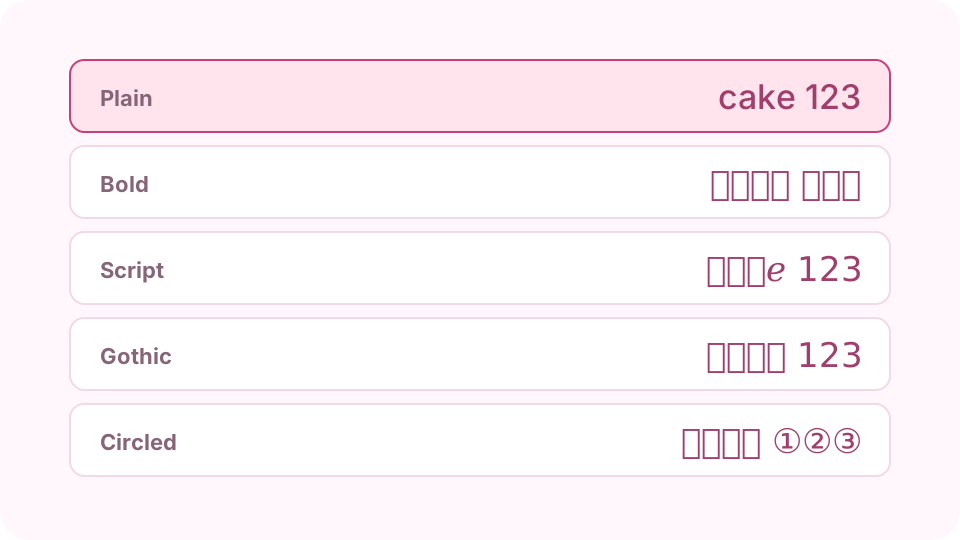
The same word, but different Unicode symbols, not a font. Open the Fancy text generator on cv.cm
Type in Your text. Every style updates below it as you type, from Bold and Script to Gothic, Circled and Upside down.
Open Fancy text generatorPick a style that stays readable
Bold and Sans bold are the easiest to read. Script and Gothic suit a short name or a few words, not a whole paragraph. Keep the rest of your bio in plain text.
Copy and paste it
Press Copy beside the style you want and paste it into the app. Check it after saving: an empty box or a question mark means that device has no symbol for that character.
Expect other characters to stay the same
Letter styles change only A–Z, a–z and, in some styles, digits. Chinese, Japanese, Korean and accented letters such as é have no matching symbols, so they stay as typed. Strikethrough and Underline add a line to every character, and Upside down reverses the whole text.
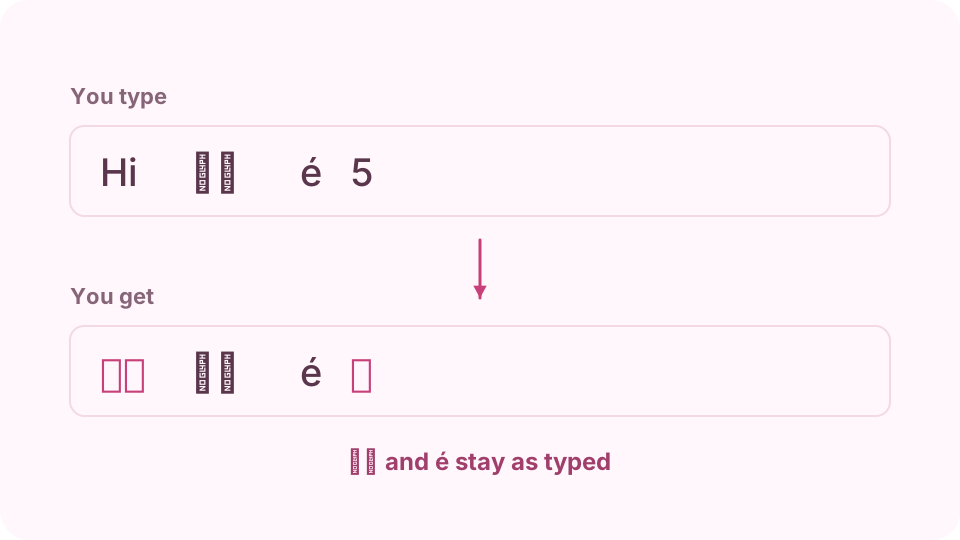
Letter styles change only A–Z, a–z and some digits; everything else stays as typed. Keep it out of the places where it hurts
Avoid it for anything people need to find or hear. Search may not match 𝐜𝐚𝐤𝐞 with cake, and screen readers may skip the symbols or read out their long names. Leave your real name and key words plain.
FAQ
Why do I see empty boxes?
The device has no font containing that symbol. Older phones and computers are the most likely to show boxes. Try a more common style, such as Bold.
Does it work with Chinese or accented letters?
Letter styles do not: Unicode has styled forms for A–Z, a–z and digits, not for those characters, so they stay as you typed them. Strikethrough and Underline do work, as they add a line to each character.
Can I use it for my Instagram or TikTok name?
Display names and bios usually accept it, though it depends on the app and can change. Usernames normally allow only plain letters, digits and a few marks.
Is it bad for screen readers?
It can be. Screen readers may skip the symbols or read each one by its full name, which makes a sentence very hard to follow. Leave important information plain.
Do I need to install a font?
No. You are copying characters, not a font, so the text looks styled wherever the reader's device has the symbols.