Text and writing
How to use an online notepad
You need somewhere to put text right now, with no account or app. You will write a note that saves itself, open or download a text file, and learn the one thing that can lose it. The note stays in your browser and nothing is uploaded.
The note lives in this browser on this device only. Download it before you clear browser data or change devices.
Open Online notepadContents
Know where the note is kept
The note is saved in this browser on this device, not on a server. So it never leaves your device, but it does not follow you to your phone or to another browser.
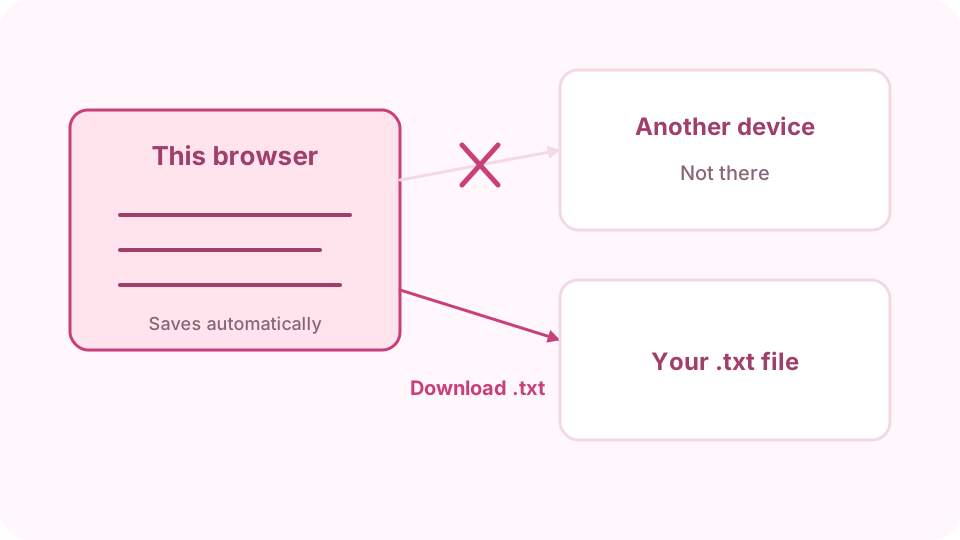
Saved in this browser only: download a copy to take it elsewhere. Open the Online notepad on cv.cm
Start typing. The page saves shortly after you stop and shows the time of the last save. Close the tab and come back: the note is still there.
Open Online notepadSet the view for what you are writing
Under View, turn off Wrap long lines for code or logs, so one line stays one line, and turn on Monospace font to line up columns. The counter shows words, characters and lines.
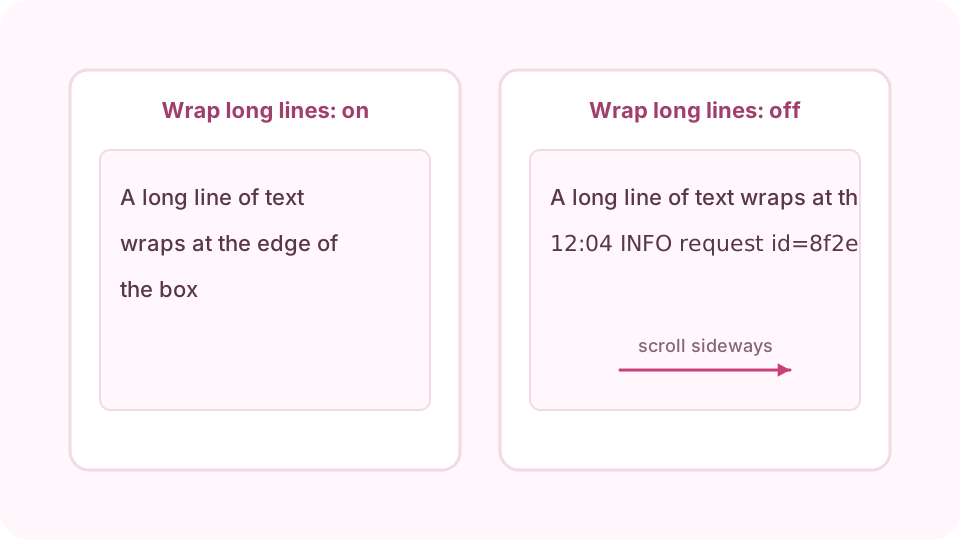
Wrap on suits writing; wrap off keeps each line of code or logs whole. Open a text file
Open file loads a UTF-8 text file up to 1 MB into the note, replacing what is there; Undo brings the old note back for a few seconds. A file in another encoding is refused and your note is unchanged.
Download a copy
Download .txt saves the note as a file on your device. Do this for anything you would be sorry to lose. Copy all puts the whole note on the clipboard to paste into an email or a document.
Clear it, and undo if you change your mind
Clear empties the note, and Undo appears for a few seconds to bring it back. If the page says this browser is not saving notes, you are probably in a private window: download before you close it.
FAQ
Is my note private?
Yes. It stays in your browser's storage on this device and is not sent to cv.cm. Anyone using this browser profile can open the page and read it, so avoid it on shared computers.
Will I lose my note if I close the tab?
No. It comes back when you open the page in the same browser. It is lost if you clear site data for cv.cm, which is why downloading a copy is worth it.
Can I get my note on another device?
Not automatically, as nothing is stored online. Download the .txt and open it on the other device with Open file.
Does it work in a private window?
You can write there, but private windows discard storage when closed, and some block it completely. Download the note before you close the window.
How long can a note be?
Up to 1,000,000 characters, and files you open can be up to 1 MB. Very long notes can feel slow in the text box.