Dates and time
How to set an online alarm
You need an alarm on your computer: for a nap, a meeting or the end of a study session, without installing an app. You will set the time and sound, make sure it can really ring, and snooze or stop it. It runs in your browser tab.
The alarm lives in the tab. Closing the tab, sleep mode or a locked phone can stop it, so keep the tab open and the device awake.
Open Online alarm clockContents
Open the Online alarm clock on cv.cm
The large clock shows the current time on this device. The alarm uses the same clock, so check it is right.
Open Online alarm clockPick the time, label and sound
Set Alarm time. Add a Label such as Meeting or Take a break; it shows when the alarm rings and in the tab title. Choose a Sound: Beep, Chime, Bell or Digital.
Test the sound first
Press Test sound to hear the alarm and set the volume. If you hear nothing, check the system volume, the browser tab is not muted, and a phone is not in silent mode.
Set the alarm
Press Set alarm. The page shows when it will ring and a countdown, such as rings in 7 h 30 min. A time earlier than now means tomorrow: set 07:00 at 23:30 and it rings the next morning.
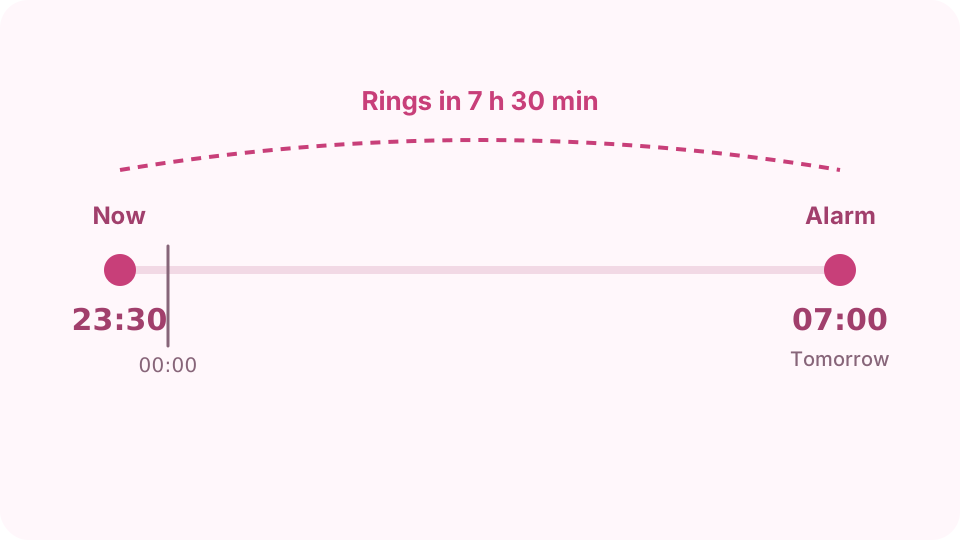
A time earlier than now rings tomorrow; the page shows how long is left. Keep the tab ready
You can switch to other tabs: the sound is queued in the browser's audio engine, so it still rings on time. Do not close the tab, and make sure the computer will not sleep before the alarm time; check its power settings. While this tab is showing, the page also keeps the screen on where the browser allows it.
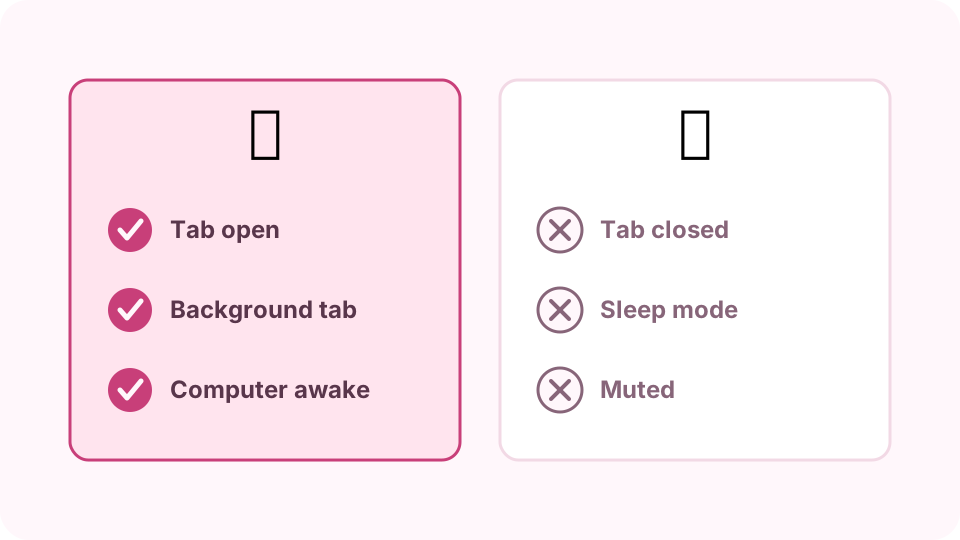
What keeps the alarm working and what stops it. Stop or snooze
When it rings, press Stop, or Snooze 5 min or Snooze 10 min to ring again later. If nobody answers, it stops by itself after 10 minutes. Press Cancel alarm to remove it before it rings.
FAQ
Does an online alarm work when the tab is in the background?
Yes, as long as the tab is open and the computer is awake. The ring is scheduled in the audio engine, so background tab throttling does not delay it.
Will it ring if my laptop goes to sleep?
No. A sleeping computer runs no web pages. Change the power settings or keep the laptop plugged in and awake.
Can I set several alarms?
One per tab. Open the page in another tab for a second alarm.
Why did I hear nothing when it rang?
The tab or system was muted, or the phone was locked or in silent mode. Use Test sound before you rely on it.
Is the alarm saved if I reload?
No. Reloading or closing the tab clears it. Nothing is stored or uploaded.