Math and school
How to use a scientific calculator
You have a sum with brackets, a power or a sine in it, and the answer has to be right. You will type it in the correct order, pick the right angle mode, and reuse results without retyping. It runs in your browser.
Most wrong answers come from two things: a missing bracket, or the wrong angle mode. Check those two first.
Open Scientific calculatorContents
Know the order of operations
The calculator follows standard maths order: brackets first, then powers, then × and ÷, then + and −. So 2 + 3 × 4 is 14, not 20.
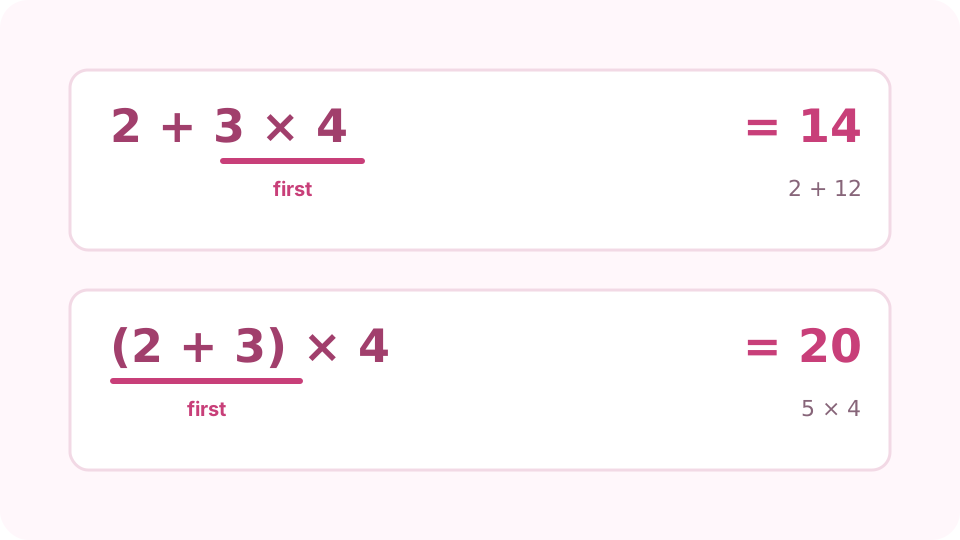
Brackets change which part is worked out first. Open the Scientific calculator on cv.cm
Tap the keys or type with your keyboard. The result appears as you type. Enter or = finishes the sum, Esc clears it, and ^ makes a power.
Open Scientific calculatorAdd brackets where the order matters
Write (2 + 3) × 4 to get 20. Put the whole top and bottom of a fraction in brackets: (2 + 6) ÷ (1 + 3) is 2. A bracket left open is closed for you at the end of the sum, so check that it closes where you meant. Check the expression usually means an extra ) or a missing number.
Choose DEG or RAD before using sin, cos or tan
The DEG / RAD button switches between degrees and radians. Angles from a triangle or a protractor are in degrees; formulas with π are usually in radians. sin(30) is 0.5 in DEG and −0.988 in RAD.
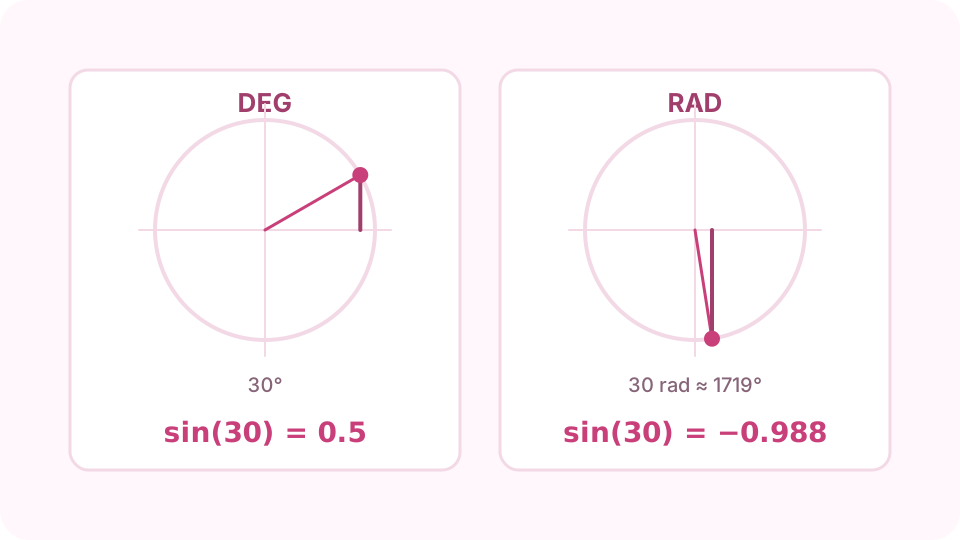
The same sin(30) gives two answers: check DEG or RAD first. Use powers, roots, logs and %
xʸ makes any power (2^10 is 1024), √ is the square root, x! the factorial. log is base 10 and ln is base e. % only divides by 100: 200 × 10% is 20, but 200 + 10% is 200.1. For a price plus 10%, write 200 × 1.1.
Reuse answers and copy the result
Ans puts the last answer into the next sum. History keeps your last 20 sums; pick one to use it again. Copy result sends the answer to the clipboard, ready to paste.
FAQ
Why does sin(30) not give 0.5?
The calculator is in RAD mode, so it reads 30 as 30 radians. Switch to DEG and sin(30) is 0.5.
What is the difference between log and ln?
log is base 10, so log(1000) is 3. ln is base e (about 2.718), so ln(e) is 1. For base 2 you can type log2(8), which is 3.
Why does 200 + 10% give 200.1?
Here % always means divide by 100, so 10% is 0.1 and 200 + 0.1 is 200.1. To add 10% to 200, write 200 × 1.1 for 220.
Why is −2^2 equal to −4?
The power is worked out before the minus sign, so it reads as −(2²). Write (−2)^2 to get 4.
Why do I get Too large or Not defined?
Too large means the answer is beyond what the calculator can hold: 170! works, 171! does not. Not defined means the sum has no answer, such as dividing by 0.