Text and writing
How to write and preview Markdown
You have a README, a forum post or some notes to format, and want to see the result as you write. You will learn the marks you actually need, check them in a live preview, and take away Markdown or HTML. Nothing is uploaded.
Markdown is plain text, so it opens anywhere. Sites differ on extras such as tables, so check them where you will publish.
Open Markdown previewContents
Learn the basic marks
# and a space make a heading (## and a space a smaller one). **Two stars** make bold and *one star* italic. A line starting with - and a space is a list item, and [text](https://example.com) is a link. Leave a blank line between paragraphs.
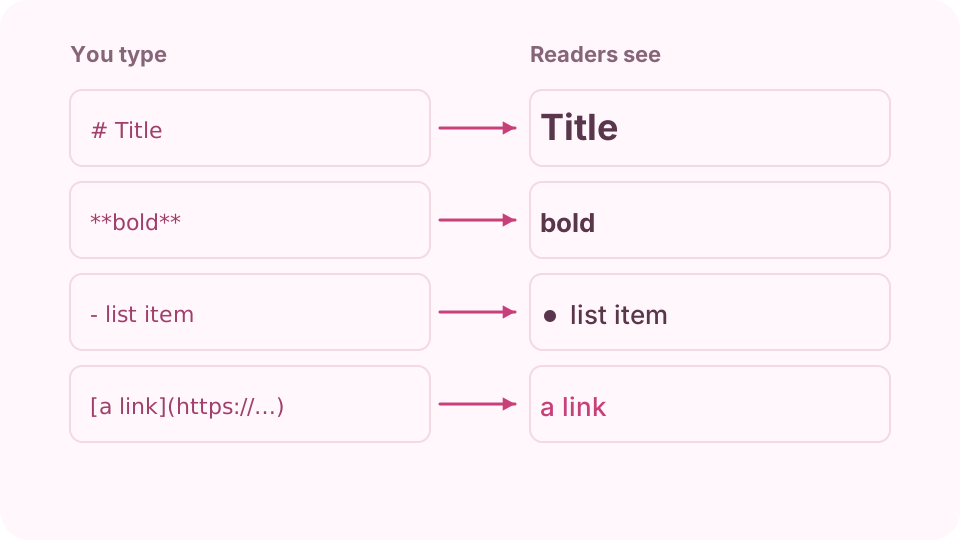
What you type on the left, what readers see on the right. Open Markdown preview on cv.cm
The Markdown box starts with a short example of every mark, and Show example brings it back at any time. Replace it with your own text and read the result in the Preview box as you go.
Open Markdown previewAdd tables and task lists
Separate table cells with | and put a row of dashes under the header; a colon in that row sets the alignment. - [ ] is an open task and - [x] a finished one. Add ~~two tildes~~ for strikethrough.
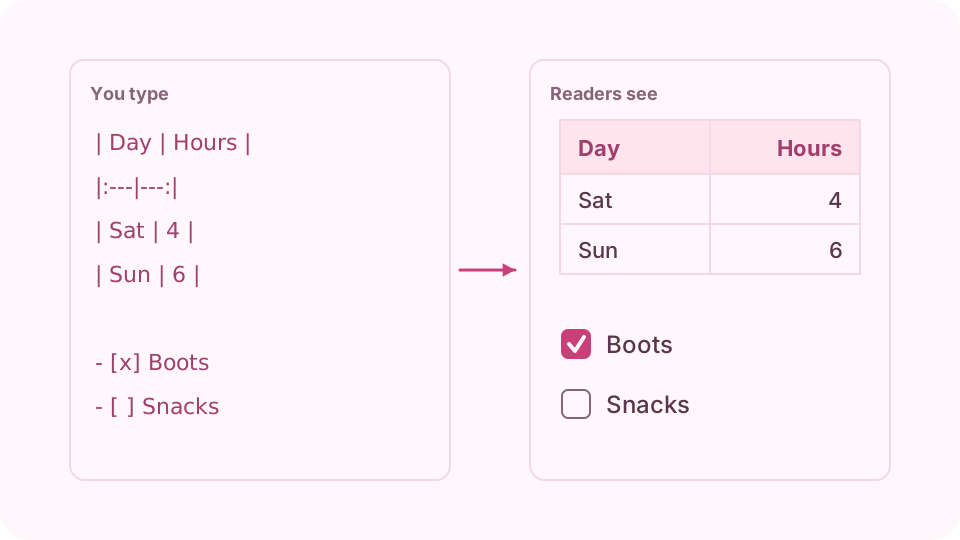
A row of dashes makes a table; brackets make a checklist. Mark up code
Wrap a word in single backticks for inline code. Put three backticks on a line above and below a block, and the block keeps its line breaks. Tab indents a line; press Esc and then Tab to leave the box.
Check the preview
Raw HTML shows as plain text and is never run. Only http, https, mailto, tel and relative links become links, so a link that stays as text has an address the page will not trust.
Copy or download the result
Copy Markdown and Download .md give you the source. Copy HTML and Download HTML give the finished page code. The text also stays in this browser, so you can come back to it.
FAQ
What is Markdown?
A way to format plain text with simple marks such as # for headings and ** for bold. GitHub, Reddit, Discord and many note apps read it.
Which Markdown does this preview support?
CommonMark's common syntax plus GitHub tables, task lists, strikethrough and bare links. Other sites may render the extras a little differently.
Why does my HTML show as text?
Raw HTML is kept as text on purpose, so a pasted document cannot run code in the page or in the HTML you copy. Use the Markdown marks instead.
How do I add a line break?
End the line with two spaces for a line break, or leave a blank line to start a new paragraph. A single line break on its own may be joined up when rendered.
Is my text uploaded?
No. It is rendered in your browser tab and kept in this browser. Up to 200,000 characters can be kept.