You need a quick voice memo, a voice-over or a song idea without installing an app. You will choose the microphone, check the level, record with pauses, listen back and download the file. Everything happens in your browser tab.
4-minute read
Today's result An audio file on your device: WebM or M4A straight from the browser, or a WAV that opens in any editor.
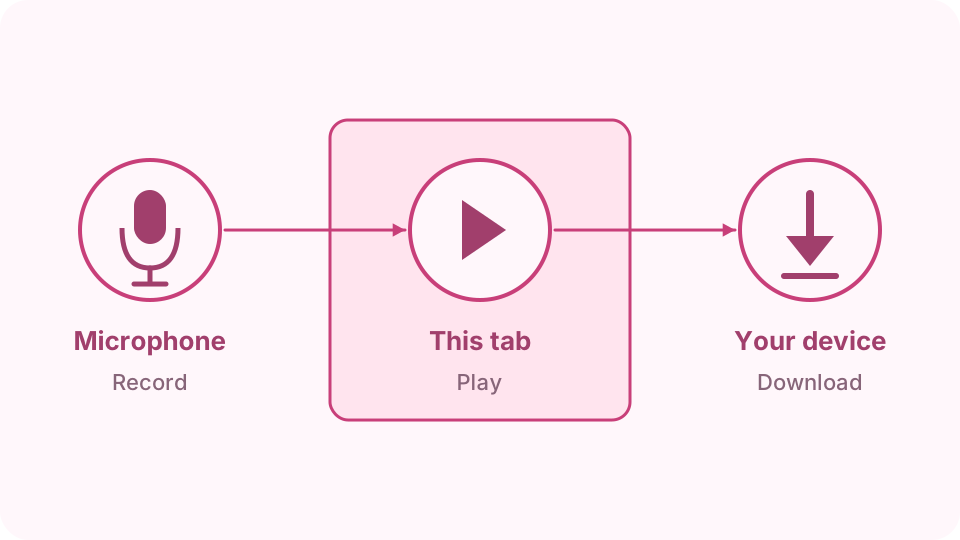
Recordings live only in the tab until you download them. Reloading or closing the page deletes them, so download each take you want to keep.
Plug in a headset or USB microphone first if you have one. It usually sounds better than a laptop's built-in microphone.
From the microphone to a file on your device: nothing leaves the tab.Open Voice recorder
Choose the microphone and cleanup
Keep Voice cleanup (noise and echo reduction) on for speech. Turn it off for music, so instruments are not treated as noise. The Microphone list fills in after the first recording.
Check the level
Press Record and allow the microphone. Speak at your normal volume and watch the Input level bar: it should move to the middle on loud words without staying full.
Record, pause and stop
The timer shows the length. Press Pause for a break and Resume to carry on in the same file. Press Stop recording when you are done.
Listen back
The take appears under Recordings with its name, length and size. Play it to check it before you download.
Download the file
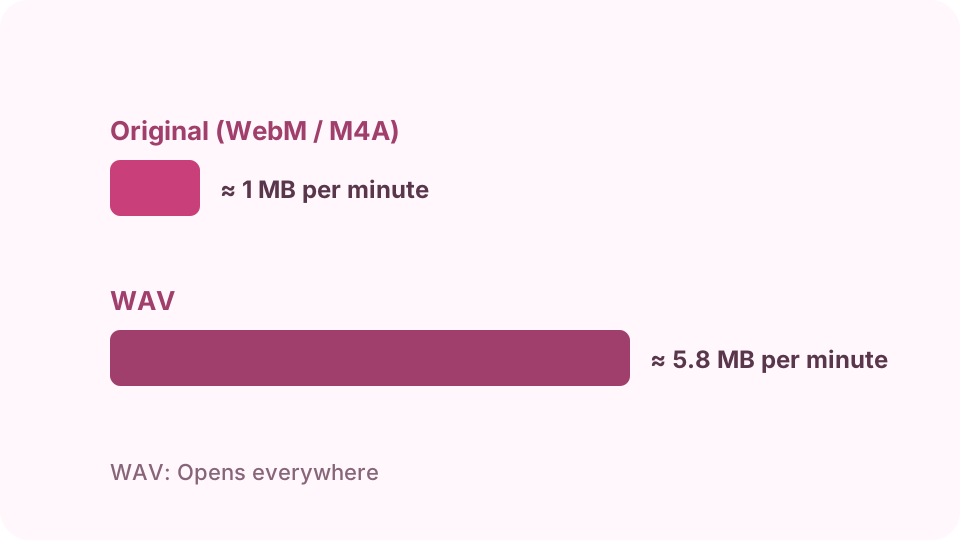
Press Download WEBM or Download M4A (depending on the browser) for the original small file, or Download WAV for uncompressed audio. Press Delete to remove a take.
The original file is small; WAV is larger but opens everywhere.
Chrome, Edge and Firefox record WebM with the Opus codec. It plays in browsers and VLC. Use Download WAV for apps that do not open it.
Can I record for an hour?
Yes, a take can be up to 120 minutes. Download long takes promptly, as they use the tab's memory.
How do I convert the recording to MP3?
Download WAV, then convert it with an audio editor or converter. WAV keeps full quality for the conversion.
Why does my voice sound quiet or muffled?
Move closer to the microphone, check that the right one is selected, and do not cover it. Voice cleanup can sound muffled with music; turn it off for that.
Are recordings uploaded?
No. They stay in the tab until you download them. Nothing is uploaded.