Photos
How to make a GIF from pictures or a video
A GIF plays in chats, slides, emails and web pages without a player. You will gather the frames, set their timing, choose a size and repeat, keep the file small and download it. The GIF maker does it in the browser, with no watermark.
GIF holds at most 256 colours per frame and no sound. For long or detailed clips a short MP4 is often smaller.
Open GIF makerContents
Open the GIF maker on cv.cm
Collect the frames: two or more pictures of the same shape, or one short video. Phone photos, screenshots and drawings all work.
Open GIF makerAdd the frames and set the order
Drop the pictures; each one is a frame and they play top to bottom. Use the arrows to reorder and × to remove. For a video, drop the file and set Start and End in seconds.
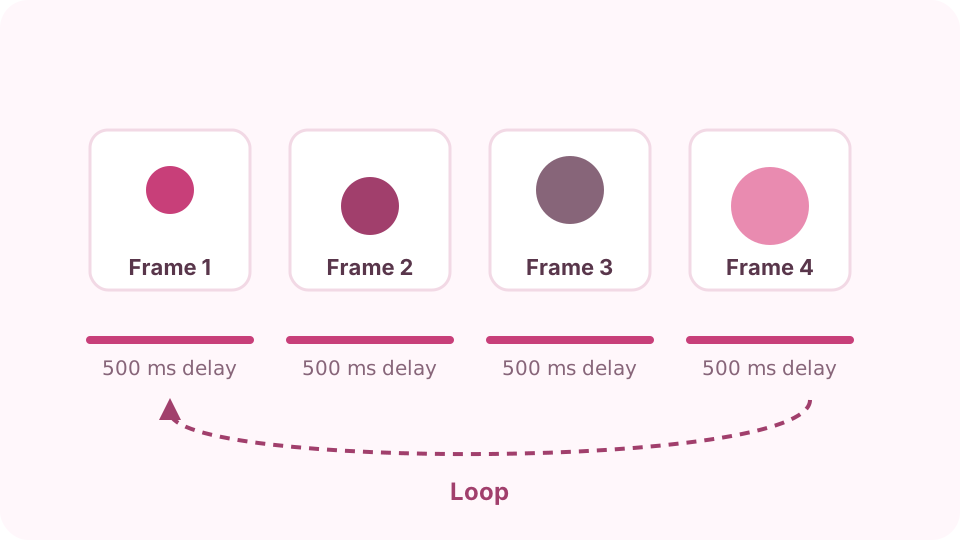
Each frame shows for its delay; the loop starts again after the last. Set the timing
For pictures, Delay per frame sets how long each one shows: 500 ms is two frames a second, 100 ms looks like motion. For a video, 10 frames per second is smooth enough for most clips.
Choose the size and repeat
Pick a width; the height follows the first frame's shape. Pictures of other shapes can fit inside on the background colour or fill the frame. Choose Loop forever, Play once or Play 3 times.
Keep the file small
File size grows with width × height × frames. Halving the width makes the file about four times smaller. Fewer colours and dithering off help flat graphics; keep dithering on for photos.
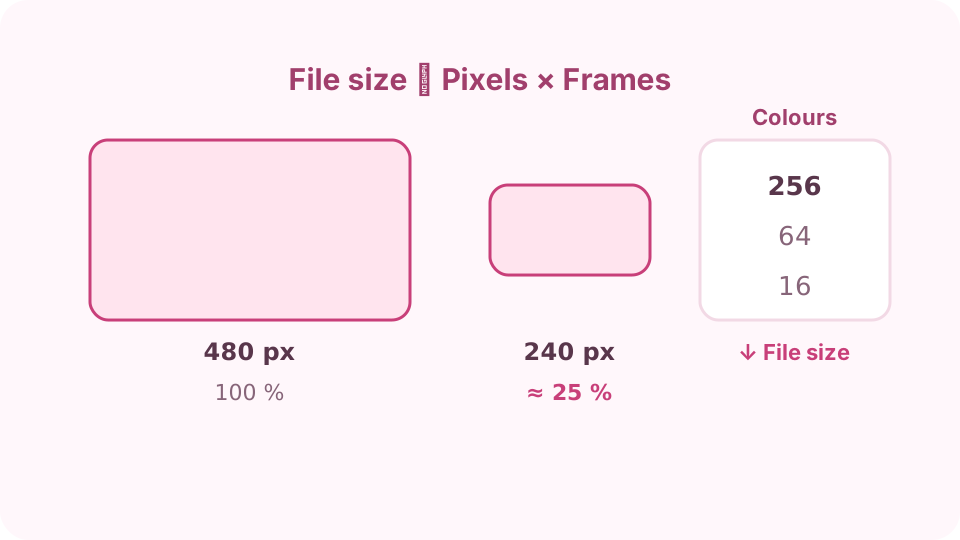
Width, frame count and colours decide the file size. Make and download
Press Make GIF. The finished GIF plays below with its size in pixels and bytes. Check it, then Download GIF. Change any setting and make it again if it is too big or too fast.
FAQ
How many frames can a GIF have?
The format has no real limit; this maker stops at 300 frames to keep the tab responsive. That is 30 seconds at 10 frames per second.
What frame delay should I use?
100–200 ms for motion, 500 ms to 1 s for a slideshow. Browsers slow delays under 20 ms, so very fast GIFs play slower than set.
Can a GIF have sound?
No. GIF is pictures only. Use a video file if sound matters.
How do I make a GIF loop?
Choose Loop forever under Repeat. Play once makes it stop on the last frame.
Is it free and private?
Yes. It is free, adds no watermark and works in the page, so your pictures and videos are not uploaded.