Photos
How to split an image into a grid for Instagram
One big picture spread over several posts makes a profile look like a single poster, and a wide photo cut into slides makes a carousel you swipe through. You will choose the grid, crop the tiles to the right shape, split, download and post in the right order.
Instagram's profile grid has shown every post as a 3:4 thumbnail since 2025. Square tiles lose a little at the left and right there, so the seams show; 3:4 tiles fill each cell exactly. Carousel slides can stay square.
Open Image splitterContents
Open the Image splitter on cv.cm
Pick a sharp picture with the subject near the middle. For a 3 × 3 grid of 1080 × 1440 px tiles, start from a picture at least 3240 × 4320 px.
Open Image splitterChoose the grid
Use 3 × 3 for a nine-post profile block, 1 × 3 carousel for a swipeable panorama, or set rows and columns up to 20 each. The grid is drawn on the picture at once.
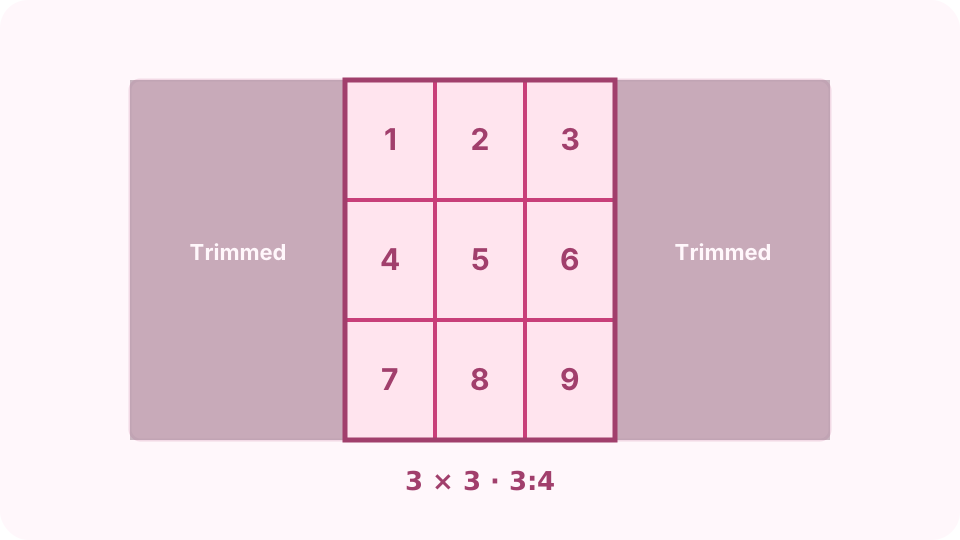
A 3 × 3 grid of 3:4 tiles, cut from the centre of the picture. Pick the tile shape
Use Portrait 3:4 for the profile grid (the 3 × 3 preset already does) and Square 1:1 for carousel slides. The largest grid of that shape that fits is kept in the centre and the dimmed edges are trimmed. Whole picture keeps everything.
Split and download
Press Split. Tiles appear below; tap one to save it, or Download ZIP for all. Files are named photo-r1-c1, photo-r1-c2 and so on, so they sort in reading order.
Post in the right order
The newest post goes top left, so post the last tile (bottom right) first and the first tile last. Tick Show posting order to number the tiles 1, 2, 3 in the order you post them.
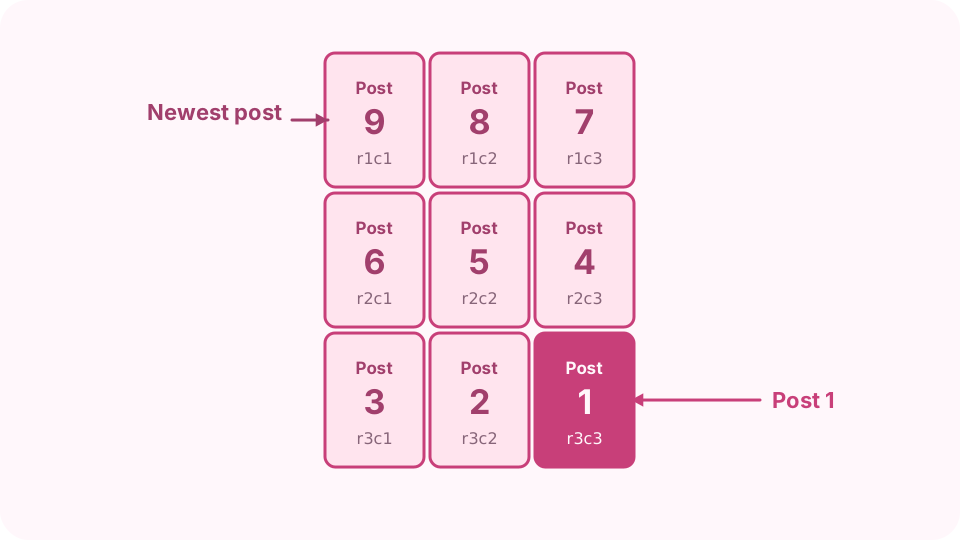
Post the last tile first: it ends up bottom right. Post a carousel instead
For a panorama, select all the slides in one post, in reading order (left to right). People swipe through them as one continuous picture.
FAQ
What size should each tile be for Instagram?
1080 × 1440 px for the 3:4 posts the profile grid shows, so a 3 × 3 grid wants a picture at least 3240 × 4320 px. Square carousel slides are 1080 × 1080.
Why do my tiles differ by one pixel?
When the picture's size does not divide by the number of rows or columns, some tiles get one extra pixel so nothing is lost.
Can I split a picture into two halves?
Yes: 1 × 2 cuts it left and right, 2 × 1 top and bottom.
Does it work for printing posters?
Yes. Set Rows and Columns (for example 2 and 3), then choose Whole picture under Tile shape, and print each tile on its own sheet.
Is the picture uploaded?
No. The tiles are cut in your browser.